Tap the screen. Pip is feeling idle.
Open source · build it yourself
Pip is a little home robot.
It sees, talks, remembers, pops wheelies, and rewrites its own software when you ask. The code, the firmware and the printable body are free to build on.
Talks
Listens through its microphone and answers out loud, in one to three short sentences.
Sees
A webcam for looking around, reading text, and spotting faces, smiles and QR codes.
Thinks
Runs on the AI model you choose. Swap models and it keeps one personality and one memory.
Remembers
Long-term memory, a journal of your talks, and notes about the people it lives with.
RoboOS
A retro desktop on its touchscreen: terminal, paint, music, a web browser, checkers against the robot.
RoboDev
A coding agent on board. Ask for a new app. It edits, restarts, and rolls back if something breaks.
Drives
Two wheels, a joystick on your phone, and one trick: it kicks up and balances in a wheelie.
Web app
Live camera, chat, files and settings from your phone, at home or from anywhere.
Posts
Shares its day on Bluesky if you let it, with faces blurred and a safety check first.
Checks itself
A self-test for every part, a battery gauge, and a clean shutdown before the pack runs dry.
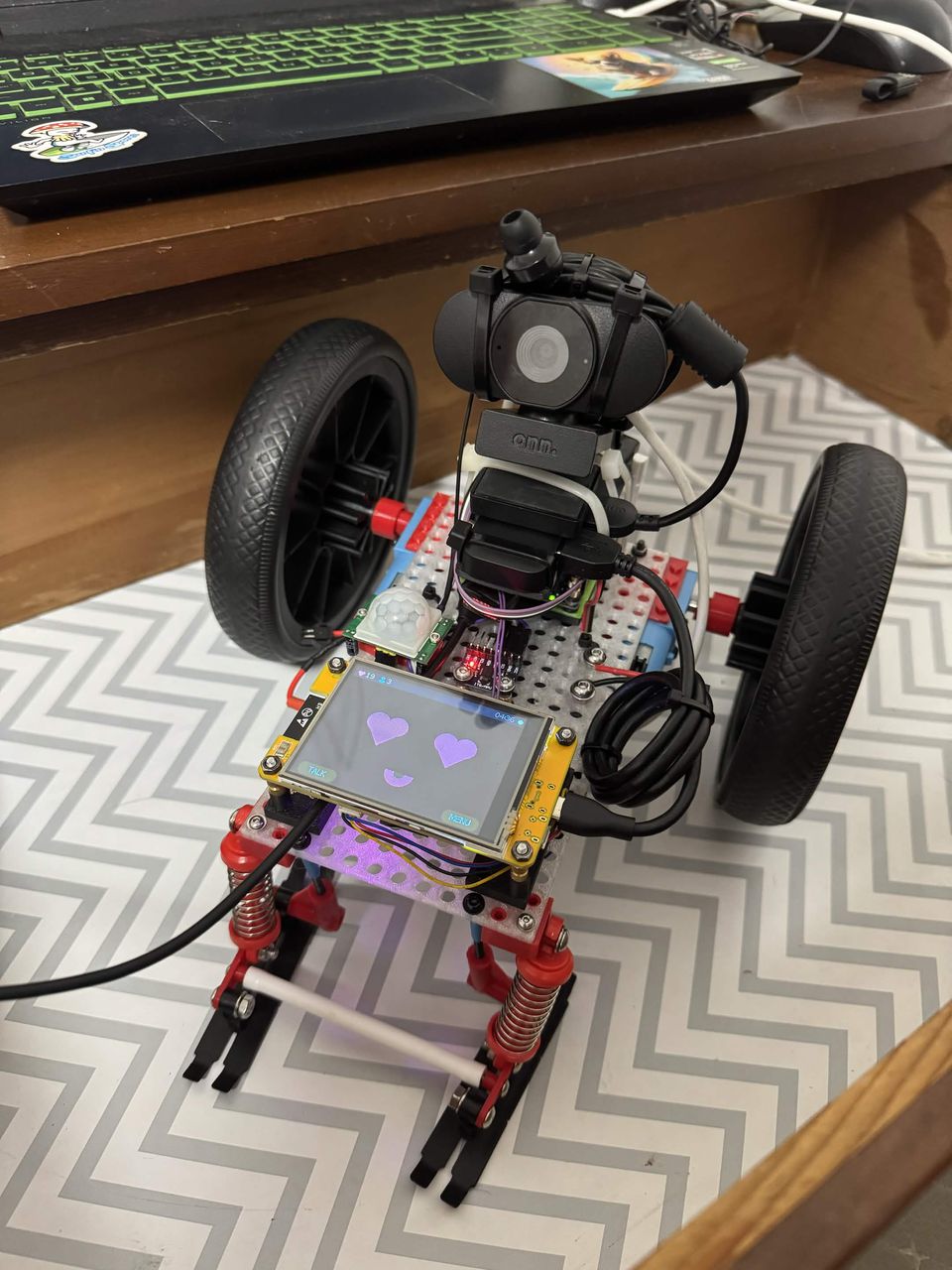
Pip is built from cheap hobby boards on perforated plates and bricks, so every part can come off and something new can go on.
| Part | Job |
|---|---|
| Orange Pi Zero | The brain. A 32-bit board with 512 MB of memory runs everything. |
| Cheap Yellow Display | The face: an ESP32 with a 2.8" touchscreen and a tiny speaker output. |
| RP2040 Zero + L293D board | Eight motor channels. Stops by itself after half a second without commands. |
| USB webcam | Eyes and ears. |
| MPU-6050 | Balance. Read 500 times a second during a wheelie. |
| PIR sensor, INA219 | Notices movement. Watches the battery. |
| Two gear motors, 3S pack | Wheels and the power to turn them. |
I2C on the screen's CN1 portUSB on the Pi's 13-pin header5 V logic, 7.5 V motors
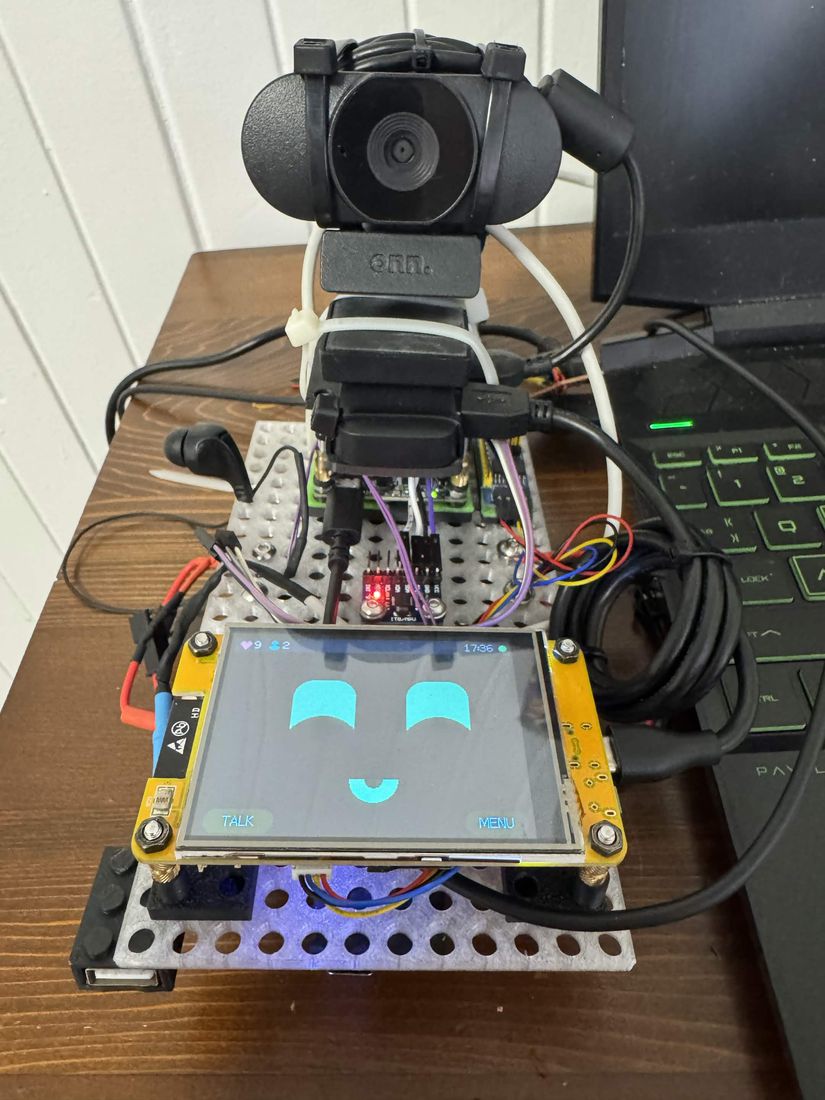
- First boot. A stack of boards on a desk.
- A face and a voice. Eyes on the screen, words through an earpiece.
- First drive. Forward, a spin, a wiggle, and back. RoboDev moves in the same day.
- A louder voice. A Bluetooth speaker through a USB dongle.
- Its own inbox. Pip reads email and writes drafts. A person approves every send.
- First wheelie. Six seconds balanced on two wheels.
Put it together
The wiring, the pins and the lessons learned the hard way are in the manual's body page.
Install
Armbian on an SD card, a handful of packages, and the code.
Give it a brain
One API key, from OpenRouter or Anthropic. A cheap model is enough.
Say hello
Scan the QR code on its screen with your phone. You are now its owner.
# on the robot's Orange Pi, as root
$ git clone <address of the code> /root/robot
$ cd /root/robot
$ python3 -m venv --system-site-packages venv
$ venv/bin/pip install -r requirements.txt
$ cp tools/robotd.service /etc/systemd/system/ && systemctl enable --now robotd
# then open http://pip.local:8080 on your phone
The full guide is docs/INSTALL.md in the code.
An afternoon is enough for
- A new game or app for RoboOS. One Python class, drawn on a 320 x 240 screen.
- A new move for the wheels: a spin, a rock, a dance.
- A new sensor on the I2C port, with a self-test so Pip knows it is there.
- A new tool for its mind, so it can do one more thing when you ask.
Pip keeps a manual about itself, written in short plain sentences because its own AI reads it too. Start there: knowledge/manual/README.md.
Safe at home
- The motors stay locked until the owner unlocks them.
- The camera has an off switch on the screen. Nothing is public unless you turn it on.
- Flashing, deleting and other risky steps ask on the touchscreen first.
- When Pip changes its own code and breaks, it rolls back to the last version that worked.
- Your robot's keys, memories and photos stay on your robot. They are never part of the shared code.